Update Subscribers task can now be set up on BusPlanner Web. To set it up, you can find the settings in Subscription Service > Update Subscriber Service Settings.
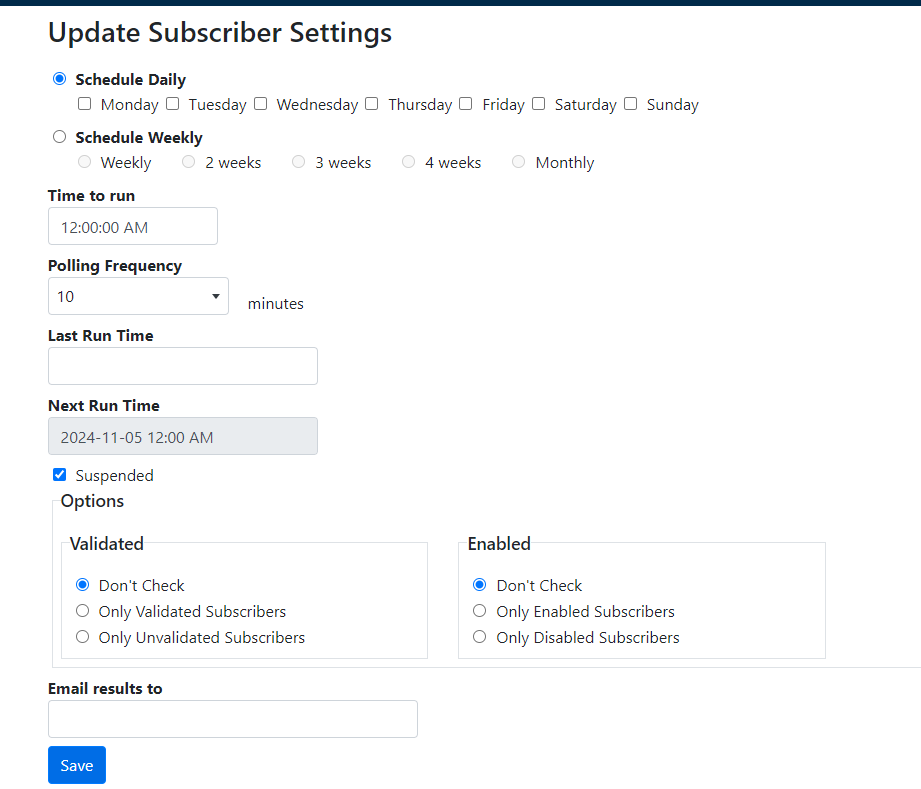
•Set up the schedule according to when you want the task to run.
•Time to run: When the task runs on the day it is scheduled.
•Polling Frequency: Determines how often the Mailing Thread should check to see if it is time to send out emails in seconds. This value must be > 0.
•Last Run Time: the last time that the service looked for route changes
•Next Run Time: the next time the service runs and looks for changes.
•
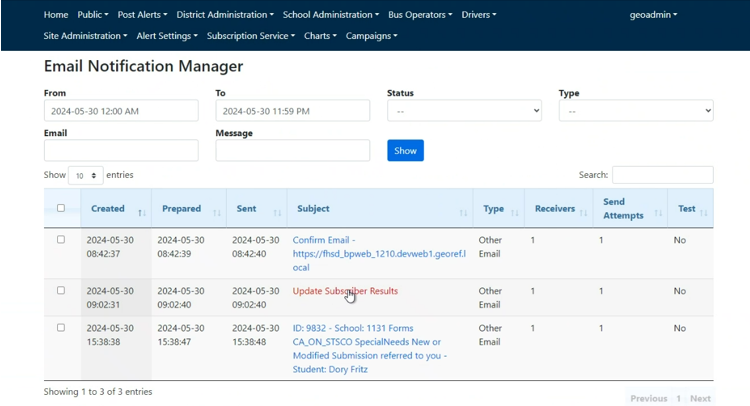
Once the tasks runs nightly, the log files will be in the Email Notification Manager with the Subject of "Update Subscriber Results".